A WordPress speed optimization service judged on real users, not a score
Anyone can push a lab score to 90 by deferring everything and hoping nobody notices. We tune WordPress sites against the numbers Google actually collects from the people visiting you, and we tell you which of your plugins is the problem even when the answer is awkward. Clients across the US, UK, Canada, Australia and New Zealand.
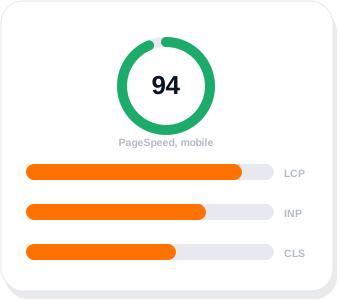
What actually makes a WordPress site slow
What it takes to speed up WordPress sites, in the order that matters rather than the order the plugins suggest. Most WordPress speed optimization work is finding which two of these six apply to you.
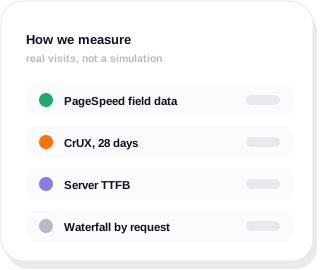
Which two are yours?
Send us the URL and we will measure it properly, then tell you the two things costing you the most. No charge and no obligation to use us for the fixing.
Hosting and TTFB
Shared hosting on an overloaded box answers the first byte in 800ms and nothing you do in WordPress fixes that. This is the first thing we measure and often the only thing that needed changing.
Page builder weight
Elementor, Divi and WPBakery generate deep DOMs and a lot of CSS. We are an Elementor shop and we will still tell you when a section has nine nested containers doing the work of two.
Images nobody resized
A 4000px hero scaled down in the browser. Correct dimensions, WebP or AVIF, and lazy loading below the fold covers most of it.
Plugins doing work on every page
A booking plugin loading its scripts on your about page. Conditional loading, or removing the plugin entirely where something lighter exists.
Render blocking CSS and JS
Stylesheets and scripts that hold up the first paint. Critical CSS inline, the rest deferred, fonts preloaded and swapped rather than hidden.
The database
Autoloaded options in the hundreds of kilobytes, orphaned post meta, expired transients, revisions going back four years.
A green score is not the same as a fast site
PageSpeed Insights gives you two things and people only look at one. The coloured score is a lab simulation on a throttled connection. Underneath it sits CrUX field data from real Chrome users on your actual site, and that is what Google uses. GTmetrix is useful alongside it for the request waterfall, as long as you remember that is a lab test too.
We have seen sites scoring 96 in the lab and failing Core Web Vitals in the field, because the lab test never scrolled, never clicked, and never waited for the chat widget. We optimise for the field numbers. The score usually follows, and when it does not, we will show you why that is fine.

What a speed optimization actually changes
Four areas. We do the measuring first, so you only pay for the ones that move your numbers.
Server and delivery
- Hosting and PHP version reviewed
- Page and object caching, usually WP Rocket or LiteSpeed Cache
- Cloudflare or a CDN in front
- Compression and HTTP/2 or 3
What the page ships
- Images resized, compressed and served as WebP or AVIF
- Lazy loading below the fold only
- Fonts preloaded with swap
- Unused CSS and JS removed per template
The build itself
- Container nesting reduced
- Conditional plugin loading
- Third party scripts delayed until interaction
- Critical CSS inlined
The database
- Autoloaded options trimmed
- Revisions and transients cleared
- Orphaned meta removed
- Scheduled cleanup so it stays that way
What good actually looks like
These are Google’s published Core Web Vitals thresholds, measured at the 75th percentile of real visits. Passing means 75% of your visitors get at least this. That is the bar we work to, and the one we report against.

LCP
Largest Contentful Paint. How long until the main thing on the page is actually there. Usually the hero image or the headline.
INP
Interaction to Next Paint. How long the page takes to respond when somebody taps. It replaced FID in 2024.
CLS
Cumulative Layout Shift. How much the page moves under the reader while it loads. Ads and late fonts are the usual culprits.
What that looks like on a real site
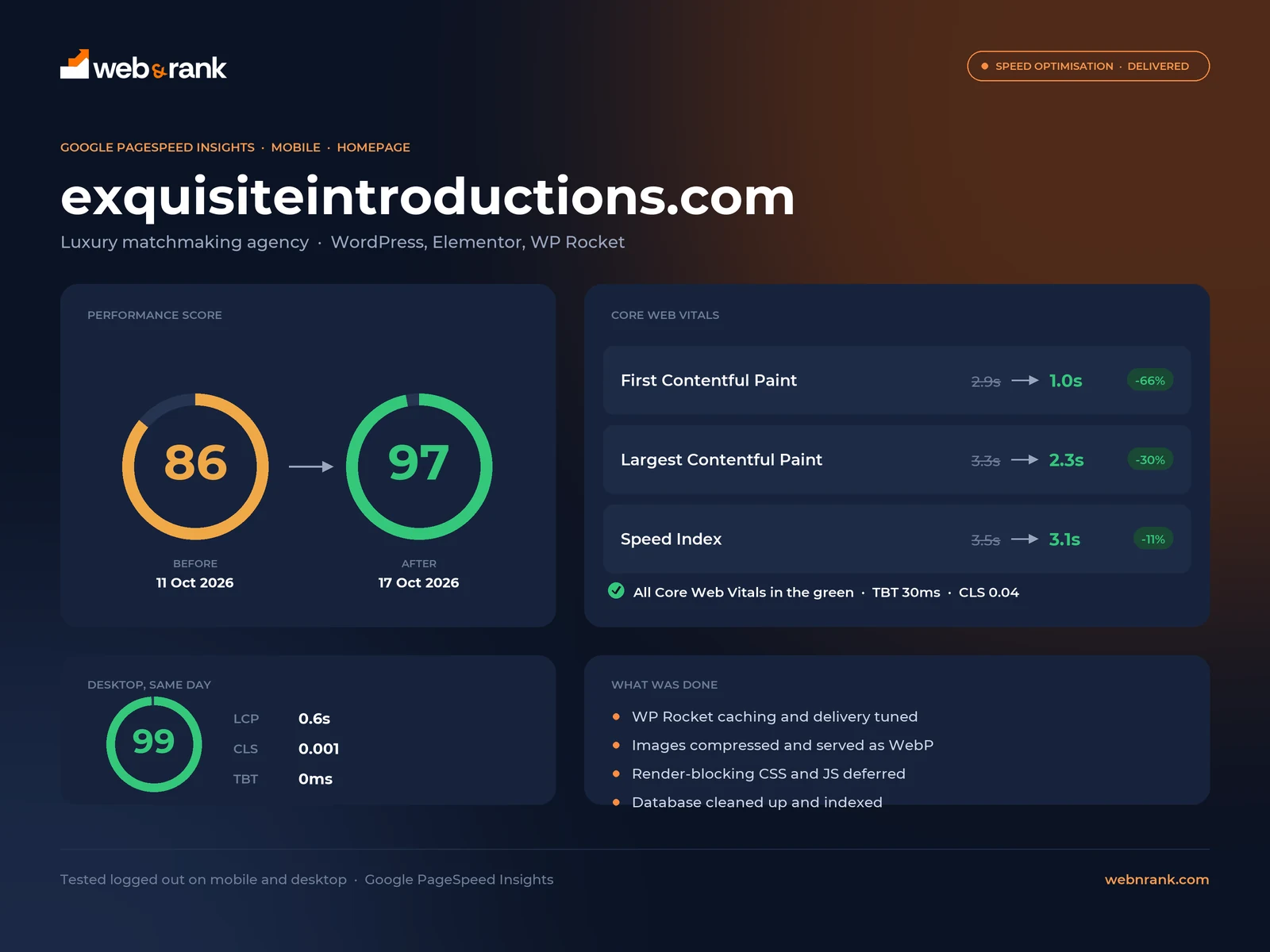
Exquisite Introductions is a luxury matchmaking agency on WordPress and Elementor. It was not a slow site. It scored 86 on mobile, which most owners would be happy with and most agencies would leave alone. Underneath that number, first paint was taking 2.9 seconds on a photography-led homepage.
Nothing about the design changed. It now returns 97 on mobile and 99 on desktop with every Core Web Vital in the green, and you can test it yourself.
What a website speed optimisation costs here
Most agencies make you book a call before they will talk about price. Here is ours. One number, one-off, covering the full page speed audit, the work itself, and a re-test against real user data rather than a lab score.
- A real audit of what is actually slow, not a plugin report
- Server, caching and delivery configured properly
- What the page ships: images, fonts, CSS and JavaScript
- The build itself, including page builder weight
- Database cleaned up and indexed
- Re-tested afterwards, with before and after numbers from real users
No call needed to get this number.
Same price whether the site speed problem turns out to be hosting, a page builder carrying too much weight, or images nobody resized. If you would rather it stayed fast without thinking about it, our WordPress care plans include monthly Core Web Vitals work from $199 a month.
Rated 4.9 out of 5 across more than 2,800 client reviews
We work with clients directly and on monthly retainers. We also work through Fiverr and Upwork, where we hold Top Rated and Top Rated Plus status. Here is what a few recent website and SEO clients said.


- Verified on Upwork
- Verified on Upwork
- Verified on Fiverr
- Verified on Upwork
- Direct client
- Verified on Upwork
- Verified on Fiverr
- Verified on Upwork
Speed questions, answered straight
Speed is one of seven things we do with WordPress. The rest are on our WordPress services page.
Want to know what is slowing you down?
Send us the URL. We will run it properly and tell you the two things costing you the most, whether or not you hire us.
How much does a WordPress speed optimization service cost?
$399, one-off, per site. That covers the audit, the work and a re-test afterwards, and it is the price for the ordinary case rather than a starting number that moves once we are in.
If the site turns out to need its hosting moved or its templates rebuilt, that is a separate project and we will tell you before you commit rather than after. Keeping the numbers good month to month is part of our care plans, from $199 a month.
How fast should a WordPress site be?
Google’s thresholds are 2.5 seconds for LCP, 200 milliseconds for INP and 0.1 for CLS, measured across 75% of real visits. Most WordPress sites we are handed sit at four to seven seconds on mobile. Getting under 2.5 is realistic for nearly every content site.
Will speeding up my site help SEO?
It helps, but it is a tie breaker rather than a lever. Core Web Vitals are a confirmed ranking signal and a slow site loses people before the page renders, which hurts every other number you care about. If your content is not competitive, speed alone will not rank it.
Do I have to stop using Elementor to make my site fast?
No, and we build in Elementor ourselves. What matters is how it is used: shallow container nesting, no widget doing the job of a CSS rule, and unused Elementor assets not loading on templates that never call them. A well built Elementor page passes Core Web Vitals comfortably.
Is my hosting the problem?
Often, yes. If time to first byte is over about 600 milliseconds before anything renders, no amount of image compression will save the page. We measure server response separately from everything else so you can see whether the fix is hosting or the site.
Why does PageSpeed Insights give a different score every run?
Because the lab test runs on shared infrastructure with simulated throttling, so it varies by several points run to run. The field data underneath it does not, because it is collected from real visits over 28 days. Judge yourself on the field data and ignore the wobble.
How long does it take, and does it stay fast?
Most speed work is done inside one to two weeks. Staying fast is the harder part, because a new plugin or a 6MB image undoes it. A care plan includes monitoring so somebody notices when it slips.
Can you speed up WordPress without a plugin?
Mostly, and it is usually the better way round. A caching plugin still earns its place, because serving a page from cache beats rebuilding it on every request. What we avoid is stacking three optimisation plugins on a site whose real problems are a 4MB hero image and a host taking 1.8 seconds to answer. Those get fixed at the source. The plugin then has far less to paper over, which is why the result survives your next update.
Is there a free WordPress speed optimization plugin?
Several, and some are genuinely good. LiteSpeed Cache is free and hard to beat if your host runs LiteSpeed. W3 Total Cache and Autoptimize are free too. Any of them will help a site running no caching at all. Where free stops is judgement: which of the forty settings will break your page builder, which image is actually your LCP element, and whether your slow response time is the plugin’s business in the first place. The plugin costs nothing. Knowing what to switch on is the part people pay for.
How do I make WordPress faster on mobile?
Start by accepting that mobile is the score that counts. Google judges Core Web Vitals on mobile field data, and a mid-range phone does the same JavaScript work with a fraction of the power your laptop has. What matters most is what happens above the fold: the weight of the image that paints first, how much CSS and JavaScript the browser must get through before anything appears, and whether anything shifts once it does. Desktop usually looks healthy long before mobile does, which is why a green desktop score tells you very little.
Do I still need this on managed hosting like WP Engine or Kinsta?
Often, yes. Good managed hosting removes one cause, a server that is slow to respond, and it is worth paying for. It does not resize your images, remove the plugin running a query on every page load, or stop your page builder shipping CSS for widgets the page never uses. We see plenty of sites on excellent hosting that are still slow, because hosting was never the bottleneck. If your response time is already quick and the page still is not, hosting is not what is left to fix.
Why a flat price instead of an hourly rate?
Because hourly billing pays us for time rather than outcome, and you cannot see the final number when you agree to it. Most speed work follows the same sequence on most sites, so the honest version is a fixed figure. The $399 covers the work set out above on one WordPress site. If we look and find something genuinely outside that, you hear about it before we start, not on the invoice.
Tell us what you need and we will show you how we would do it
Share a few details about your business and what you want to fix or build. It could be a new website, a WordPress site that keeps breaking, SEO that has stalled, or a sales process that needs automating. We will come back with honest advice, even if that means a smaller job than you expected.
A reply within one business day
A real person on the team reads your message and replies, usually the same day.
A free review of your current setup
We look at your website, rankings or systems before we talk, so the call is useful.
A written proposal
You get a clear scope, timeline and price in writing before any work starts.
Prefer to talk first?