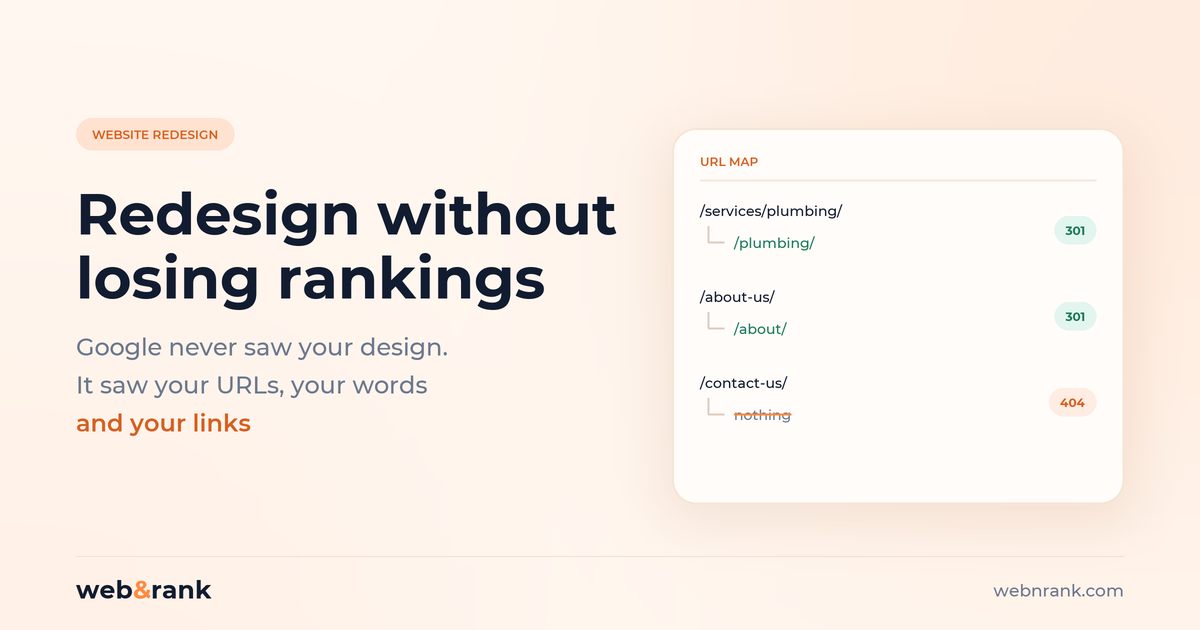
The short version. A redesign does not lose rankings because the site looks different. Google never saw your design. It loses rankings because of what quietly changes alongside the design: the URLs, the words, and the internal links.
- The safest redesign changes no URLs at all. If you can keep them, keep them
- Where URLs must change, map every one and use a permanent server-side redirect, not a temporary one. A temporary redirect tells Google to keep showing the old URL
- Crawl and record the existing site before anything is built. Once the old site is gone, that information cannot be recovered
- Most lost traffic comes from copy that got “tidied up”, not from anything technical
- Expect a few weeks of movement afterwards, and keep the redirects for at least a year
The call tends to come about three weeks after launch. The new site looks far better than the old one, everybody was pleased with it, and enquiries have fallen off a cliff. Nobody can work out why, because nothing is broken. Every page loads. The design is objectively nicer.
That is the part worth understanding before you start. Google was never ranking your design. It was ranking a set of URLs, the words on them, and the links pointing at them. A redesign is dangerous only to the extent that it disturbs those three things, and it usually disturbs all three at once without anybody deciding to.
Why website redesigns lose rankings
Three things account for nearly all of it, in this order.
URLs changed and nothing was redirected. The old site had /services/emergency-plumbing/. The new one has /what-we-do/emergency-plumber/. To Google that is not a moved page, it is one page that vanished and one page born yesterday with no history. Every link ever earned by the old URL now points at a 404.
The copy got shortened. This is the most common cause and the least suspected. A redesign is usually also a tidy-up: long pages feel cluttered against a clean new layout, so three paragraphs become one line and a nice icon. The page that ranked did so partly because it answered things. The replacement answers fewer of them.
Internal links disappeared into the navigation. Old sites accumulate contextual links inside body copy. New designs tend to replace them with tidy card grids and a slimmer menu. The pages that were being held up by those links quietly drop.
None of these are design faults. They are side effects nobody signed off on, which is exactly why they have to be checked for deliberately.
Do this before a single page is built
This is the step that gets skipped, and the only one that cannot be done later. Once the old site is replaced, the evidence is gone.
- Crawl the existing site and keep the file. Every URL, title, meta description, H1 and word count. Free tools handle a small site fine
- Export your Search Console data for the last 12 months: queries, pages, clicks, impressions. This tells you which pages actually earn traffic, which is almost never the list people assume
- Write down your current positions for the handful of terms that matter commercially
- Save the page source of your top ten pages. When something is missing later, this is how you find out what
Thirty minutes of this is worth more than anything else on this page. Without it you cannot tell whether the redesign caused a drop or whether something else did, and you cannot put back what you never recorded.
The URL map, which is the whole job
The single best decision available to you: do not change URLs unless there is a reason. A redesign is a visual and structural project. It does not require new URLs, and keeping them removes the largest category of risk outright. “The new URLs are tidier” is not a reason worth losing rankings over.
Where URLs genuinely must change, build a spreadsheet with one row per old URL and its new destination. Every URL, not just the important ones. Then three rules.
Use a permanent redirect, not a temporary one. This matters more than most people realise, and the difference is not cosmetic. Google’s documentation is explicit that with a temporary redirect, “the indexing pipeline doesn’t use the redirect as a signal that the redirect target should be canonical”, and it will show the source page in search results. Ship a redesign on temporary redirects and Google carries on showing your old, now non-existent URLs.
Do it server-side. Google again: “a server side redirect has the highest chance of being interpreted correctly by Google”, with JavaScript redirects a last resort because rendering can fail.
Point old URLs at their real equivalent, not the homepage. Redirecting forty deleted pages to the homepage is a common shortcut, and Google generally treats it as a soft 404. If a page has no equivalent, let it 404 honestly rather than lying about where it went.
Check too that you have not built chains. Old URL to interim URL to final URL works, but it is fragile and slow, and it is easy to end up with a loop. Each old URL should reach its destination in one hop.
What to carry across that people throw away
Design hand-offs tend to treat text as filler. These are the things worth insisting on.
- The body copy on pages that rank. If a page must get shorter, shorten the pages that earn nothing, not the ones carrying your traffic
- Title tags and meta descriptions. These frequently get regenerated from the page title at launch, wiping work that was already tuned
- One H1 per page, saying what the old one said. New templates love turning the H1 into a short, punchy fragment that no longer contains the thing people search for
- Contextual internal links. Keep the links that sat inside paragraphs, not just the ones in the menu
- Image filenames and alt text. A fresh media library full of DSC_4471.jpg throws away image search traffic for no reason
- Structured data. Schema usually lives in a plugin or the theme, and rarely survives a theme change
Before you go live
Two mistakes happen here, and they are opposites.
The first is launching with the staging site’s blocking still switched on. Development sites are quite rightly hidden from search engines, then the site goes live with that setting still in place and stays invisible. On WordPress it is a single checkbox under Settings, then Reading. We went through this in more detail in why a site does not show up on Google, because it is the most common cause we find.
The second is the reverse: the staging site was never hidden, got indexed, and now a duplicate of your entire site sits on a subdomain competing with the real one.
Before launch, test the redirects. Take fifty old URLs, including your top traffic pages from the Search Console export, and confirm each lands where it should in a single hop. Doing this after launch means doing it while traffic is already falling.
Launch day and the fortnight after
Submit the new XML sitemap in Search Console. Watch the Page Indexing report and the 404s. Keep the old sitemap available for a while so Google re-crawls the old URLs and finds the redirects.
Then be patient on purpose. Google processes a move on a per-URL basis, and says “a small to medium-sized website can take a few weeks for most pages to move”. Movement in the first fortnight is normal and is not evidence of a disaster. A sustained drop after a month is.
Keep the redirects. Google’s guidance is to hold them “for as long as possible, generally at least 1 year”. In practice there is no good reason to ever remove them.
What to watch in Search Console afterwards
Four reports, and what a problem actually looks like in each.
- Page Indexing. Watch “Not found (404)” climbing. That is the sound of old URLs with no redirect. Watch “Page with redirect” too: it should rise after launch, because that is the system working
- Performance, compared period over period. Filter to pages, not the site total. A site-wide dip hides the useful detail, which is almost always a handful of pages falling a long way rather than everything slipping a little
- The URL Inspection tool on your five most valuable pages. It tells you what Google currently has, which is not always what you think you published
- Core Web Vitals. New builds often get slower before they get faster, because the design is heavier than the thing it replaced
If impressions hold steady but clicks fall, your titles and descriptions changed and you are being shown for the same things with worse wording. If impressions fall off a cliff, it is the URLs.
When a website redesign genuinely improves SEO
It is not all risk. Redesigns do lift rankings when they fix things that were actually holding the site back: a slow site becoming fast, an awkward mobile experience becoming usable, twelve thin overlapping pages becoming four good ones, and internal linking that finally reflects what the business actually sells.
The difference between a redesign that gains and one that loses is almost entirely whether anybody was watching the URLs and the words while the design was being approved. If you would rather that were handled than hoped for, it is what our migration work and website development are built around, and the case studies carry the Search Console figures rather than adjectives.
Common questions
How do I redesign a website without losing SEO?
Keep the URLs if you possibly can. Where they must change, map every old URL to its new equivalent and use permanent server-side redirects. Carry the body copy, titles, H1s and internal links across rather than rewriting them for visual tidiness. Crawl and record the old site before you start, so you can tell what changed.
Will a website redesign hurt my rankings?
Not by itself. Google does not rank your design. Rankings fall when URLs change without redirects, when copy gets shortened, or when internal links are dropped. A redesign that leaves those three alone is close to risk free.
How long does it take to recover after a redesign?
Google says a small to medium site takes a few weeks for most pages to move, and it happens per URL rather than all at once. Some fluctuation in the first fortnight is normal. If traffic is still down after a month, something is wrong, and it is usually the redirects.
Should I use a 301 or a 302 redirect for a redesign?
Permanent, every time. With a temporary redirect Google does not treat the destination as canonical and will keep showing the old URL in results, which on a redesign means showing a URL that no longer exists.
Can I just redirect all my old pages to the homepage?
No. Google generally treats a mass redirect to the homepage as a soft 404, so the old pages lose their value anyway and you gain nothing. Redirect each page to its closest real equivalent, and let genuinely retired pages return a 404.
What should be on a website redesign SEO checklist?
A crawl of the old site, a Search Console export, a complete URL map, permanent server-side redirects tested before launch, titles and descriptions carried over, H1s preserved, internal links rebuilt, structured data reinstated, the staging block removed, and a new sitemap submitted on launch day.
How much does it cost to redesign a website?
It varies far too much for a single number to be useful, but the SEO side is a small fraction of a redesign budget and is the part that protects everything else. A redesign that loses its rankings costs more than the redesign did.