A WordPress migration service where nobody notices it happened
Moving hosts, changing domain, or coming to WordPress from Wix or Squarespace. We do it on a staging copy first, check it against the original page by page, and cut over when the traffic is lowest. Clients across the US, UK, Canada, Australia and New Zealand.

Four kinds of move
Different jobs with different risks, priced accordingly.
Host to host
Off shared hosting that has started timing out, or onto something managed. The most common one, and the easiest to get right.
Domain change
Rebrands and mergers. The move itself is simple. The redirect map and the hundred places the old domain is hard coded are not.
Staging to live
A rebuild that has been sitting on a staging URL for six weeks going live without dragging the staging URLs with it.
Onto WordPress
Coming from Wix, Squarespace, Webflow or a hand built site. Content rebuilt properly rather than pasted, with the old URLs pointed at the new ones.
When you can just do it yourself
A lot of WordPress migrations do not need anybody. We would rather say so than take money for running a plugin you could have run.
A plugin will probably be fine when
Duplicator, All-in-One WP Migration and WP Migrate all do a competent job, and most managed hosts have a free migration tool of their own that is better than any of them.
- The site is under a gigabyte or so
- You are keeping the same domain
- There is no store with live orders
- Some downtime on a Sunday night would not hurt anyone
- You are comfortable editing wp-config and DNS
Get somebody in when
These are the ones where a plugin gets you eighty percent of the way and the last twenty percent is where the money is lost.
- The domain is changing as well as the host
- It is a WooCommerce store taking orders during the move
- The database is large or the site has been running for years
- Email runs on the same domain and cannot go down
- Rankings matter and the URL structure is changing
Check the new server before you touch DNS
We kept doing this by hand with hosts files, so we built a tool for it. DNS Previewer gives you a preview link that loads your domain from the new server, so you can click through every page before a single record changes. Free, no signup, and it is the same thing we use on client migrations.
Password protection, links that do not expire, wildcard and multisite support.
What actually breaks in a migration
None of this is exotic. It is just a list long enough that something gets missed when it is done once in a hurry.
Serialised data
Search and replace done as plain text corrupts serialised strings in the database, which silently breaks widgets, theme options and page builder content. It needs a tool that understands the format.
Email and DNS
The MX records live alongside the A record you are about to change. Move the site carelessly and the email goes with it. We copy every record before touching anything.
SSL and mixed content
A new certificate on the new host, and every hard coded http:// reference in the content chased down, or browsers block half the page.
Permalinks and rewrite rules
The first thing to break after a move, and the reason a site comes up with a working homepage and 404s everywhere else.
File permissions and ownership
Copied across wrong and uploads stop working, or worse, everything becomes writable by anything.
Scheduled tasks
WP-Cron jobs, backup schedules and anything the old host was running for you. Easy to forget until a month later when something did not send.
How the switch actually goes
The move is rehearsed before it is real. By the time DNS changes, everything has already been checked on the new server.
Rehearsed on staging
The whole site runs on the new host behind a preview address first, using our own DNS Previewer, and gets clicked through page by page against the old one.
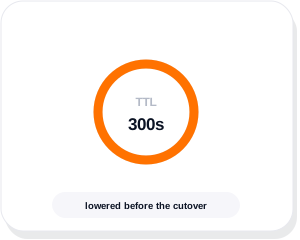
TTL lowered first
DNS time to live dropped a day ahead, so the switch propagates in minutes rather than hanging around for two days.
Old host left running
We do not cancel anything for a fortnight. If something surfaces late there is still an original to compare against.
Rated 4.9 out of 5 across more than 2,800 client reviews
We work with clients directly and on monthly retainers. We also work through Fiverr and Upwork, where we hold Top Rated and Top Rated Plus status. Here is what a few recent website and SEO clients said.


- Verified on Upwork
- Verified on Upwork
- Verified on Fiverr
- Verified on Upwork
- Direct client
- Verified on Upwork
- Verified on Fiverr
- Verified on Upwork
Migration questions, answered straight
Moving is one of seven things we do with WordPress. The rest are on the WordPress services page.
Not sure if you need help?
Tell us where the site is now and where it is going. If the answer is “run the host’s free tool”, that is what we will tell you.
What is the best WordPress migration plugin?
Duplicator, All-in-One WP Migration and WP Migrate are all good, and for a straightforward same-domain move on a small site any of them will do the job. Better still, check whether your new host has its own migration tool, because those handle the server side properly and are usually free. Plugins struggle once the database gets large or the site is taking orders mid-move.
Is there a free WordPress migration plugin?
Yes. Duplicator and All-in-One WP Migration both have free versions that cover small sites, and most managed hosts will migrate you free as part of signing up. The paid tiers mainly buy you larger file limits and scheduled or multisite support.
What is the best way to manually migrate a WordPress site?
Copy the files, export the database, import it on the new server, update wp-config with the new credentials, then run a proper search and replace tool for the URLs so serialised data survives. Test everything on a temporary address before changing DNS, and lower the TTL a day beforehand. Manual is the most reliable method and the least forgiving of a missed step.
How much does a WordPress migration service cost?
A single site moving hosts with the same domain is a small fixed price. A store, a domain change, or a platform switch from Wix or Squarespace is a project, because the work is in the redirects and the content rather than the copy. We quote after looking at the site.
Will my site go down during the move?
It should not. The site runs on the new host before anything points at it, and DNS changes with a low TTL so the handover happens in minutes. Anyone mid-checkout at that exact moment is the only real risk, which is why stores move at their quietest hour.
Will I lose my Google rankings?
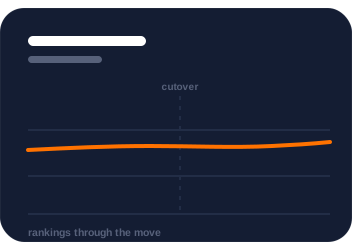
Not on a same-domain host move, where nothing about the URLs changes. On a domain change or a platform switch the risk is real and it is managed with a full redirect map from every old URL to its new home. Protecting rankings through a replatform is its own discipline, covered on our SEO migration page.
Can you move me from Wix or Squarespace to WordPress?
Yes. Those platforms do not export in a form WordPress can read properly, so pages get rebuilt rather than imported, which is also the moment to fix the things that were annoying you. Old URLs are mapped to the new ones so nothing that was ranking gets dropped.
Tell us what you need and we will show you how we would do it
Share a few details about your business and what you want to fix or build. It could be a new website, a WordPress site that keeps breaking, SEO that has stalled, or a sales process that needs automating. We will come back with honest advice, even if that means a smaller job than you expected.
A reply within one business day
A real person on the team reads your message and replies, usually the same day.
A free review of your current setup
We look at your website, rankings or systems before we talk, so the call is useful.
A written proposal
You get a clear scope, timeline and price in writing before any work starts.
Prefer to talk first?